| Introduction | Orders | Products | Customers | Checkout | History/Reporting |
Products
Adding a product to an order
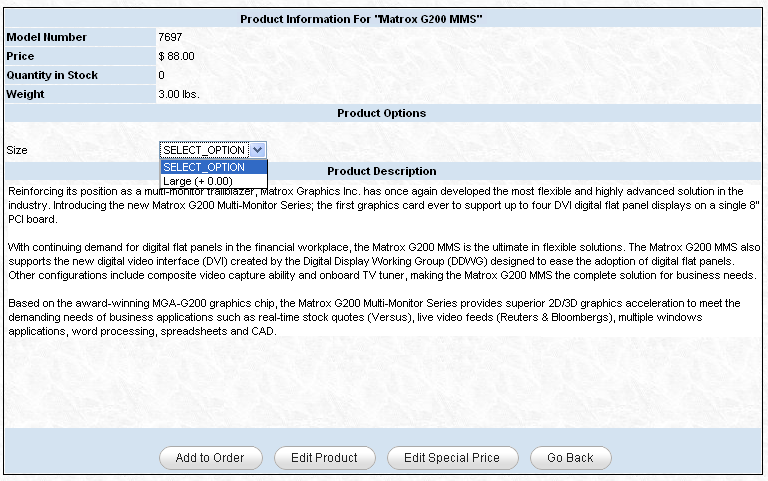
To add an item enter the mode or name in the search box at the top of the order table. Products are matched by model or name. If one match is found, it will be added to the order. If this product contains attributes, the product info screen will be displayed with the options in a drop down box as shown. If multiple matches are found a list page, like the one below, will be displayed with all the results.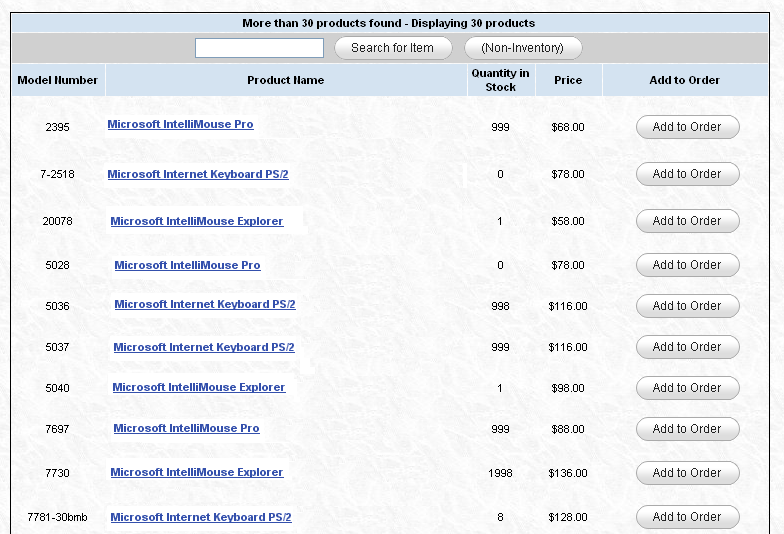
You can click the "Add to Order" button on the right to add a product to the order, or you can click on the product to view more details or edit the product.
Finding a product
If you wish to find a product without adding it to the current order, use the search form on the top right of header menu bar. A list will be returned like the one shown above displaying all matches.Viewing/Editing a product
When you click on a product in the list above, or on the order screen, you will be taken to a screen like the one below. If you wish to edit the details of a product, you can click the "Edit Product" button and you will be taken to a edit form.