
| Introduction | Orders | Products | Customers | Checkout | History/Reporting |
Customers
Adding a new customer
New customers can be added by clicking the "New" button on the top menu panel. When this button is clicked, you will be taken to a form like the one below. Use this form to fill in the new customer's information.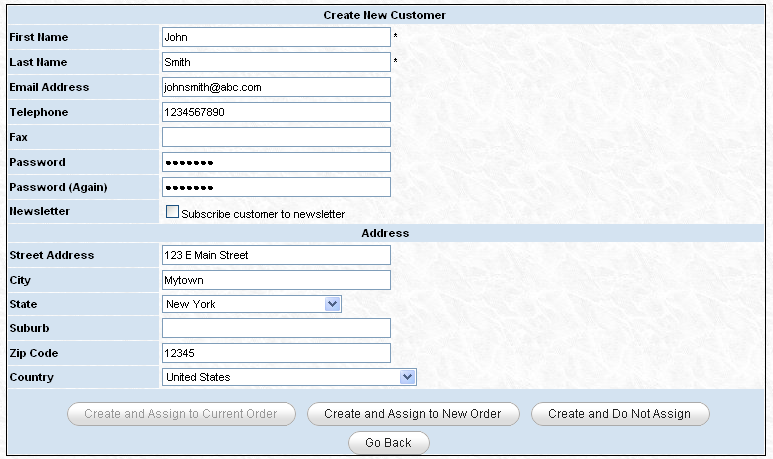
Once you have completed the form, you have a few options. You can create the customer and assign them to the current order. You can create the customer and assign them to a new order. Or, you can simply create the customer without assigning them to anything.
Searching for an existing customer
Existing customers can be found by using the customer search form on the left side of the top menu panel. Once you enter the search term and click "Search" you will be taken to a listing of matches like the one below. You can then assign that customer to the current order or click on their name to view their details. If you wish to assign the customer to a new order, click their name and you will be presented with a set of buttons including one for assigning them to a new order.