
| Introduction | Orders | Products | Customers | Checkout | History/Reporting |
Checkout
When you choose to complete an order, you will be taken to a screen like the one below. There are three payment methods that can be used: Cash, Credit Card, or Check. You can Choose to process the order, return to the order screen, or preview the receipt.
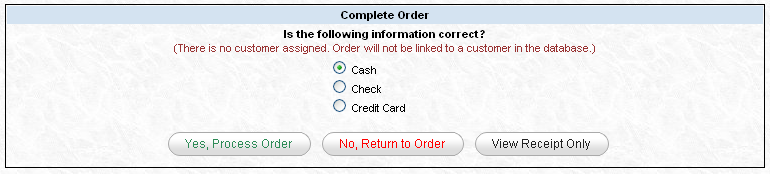
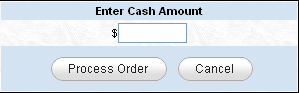
When you click "Yes, Process Order," the Credit Card type will simply complete the order. Cash and Check, however, will popup a window like the one below for you to insert the amount tendered. Once you've inserted the amount tendered, click "Process Order" and the order will be completed.
After the order is processed, you will then be taken to the order details screen.
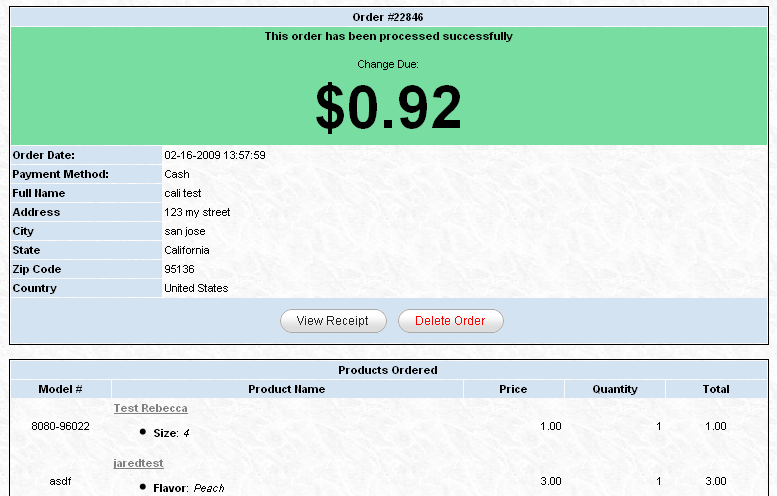
If cash is the selected method of payment, the cash amount screen will pop up. After entering the dollar amount given, you will be prompted with the change due as seen here.